

Short answer
The Health app has two built-in options. Export All Health Data (tap Summary, then your picture or initials) saves all your Health data, not only blood pressure, in XML format, which needs converting before anyone can read it. If you complete a Blood Pressure Log in Health, you can tap Export PDF to share that log with your doctor. For a readable file of your whole blood pressure history, use an app that can read blood pressure from Health and export it: CardiLog imports your Health readings and exports a PDF report or a CSV file.
Option 1: Export All Health Data
Apple's iPhone User Guide gives these steps:
- Open the Health app and tap Summary.
- Tap your picture or initials at the top right.
- Tap Export All Health Data.
- Choose how to share or save the file.
Apple describes the export as XML format, and it contains all of your Health data: steps, sleep, heart rate and the rest, with blood pressure stored as separate systolic and diastolic values. That makes it a useful full copy, or a way to move data into another tool, but it isn't something a doctor can read as it is. Turning it into a table of blood pressure readings means filtering and converting the XML yourself.
Option 2: Export a Blood Pressure Log as a PDF
Apple's Health app has a Blood Pressure Log with two set routines. To start one, open Health, tap Browse, then Heart, then Blood Pressure Log, and tap Get Started. Apple says it needs an iPhone 11 or later on the latest iOS, plus a blood pressure cuff, and recommends an automatic upper-arm cuff.
- Learn About My Risk for Hypertension: readings morning and evening for 7 days.
- Monitor My Hypertension: one reading a day for 28 days.
Once you've completed a log, you can tap Export PDF and share it with your doctor. It's a good fit if your doctor asked for a week of readings. It's built around the log's set routine, though, so it's a snapshot of that period rather than a file of your whole blood pressure history.
Our guide on whether an iPhone or Apple Watch can measure blood pressure explains how readings get into Health in the first place.
Option 3: Let an app read Health and export it
Apps can read Health data only with your permission. You can check or change that in Health: tap Summary, then your picture or initials, then under Privacy tap Apps, choose the app, and turn blood pressure access on or off.
In the CardiLog app, it works like this:
- Turn on Apple Health in CardiLog's Settings and allow access when iOS asks.
- The first time, CardiLog imports the blood pressure readings already in Health. After that, it checks for new ones each time you open the app, and skips readings it already has.
- Health stores blood pressure without a pulse, so if Health has a heart-rate sample within 5 minutes of a reading, CardiLog uses it as that reading's pulse.
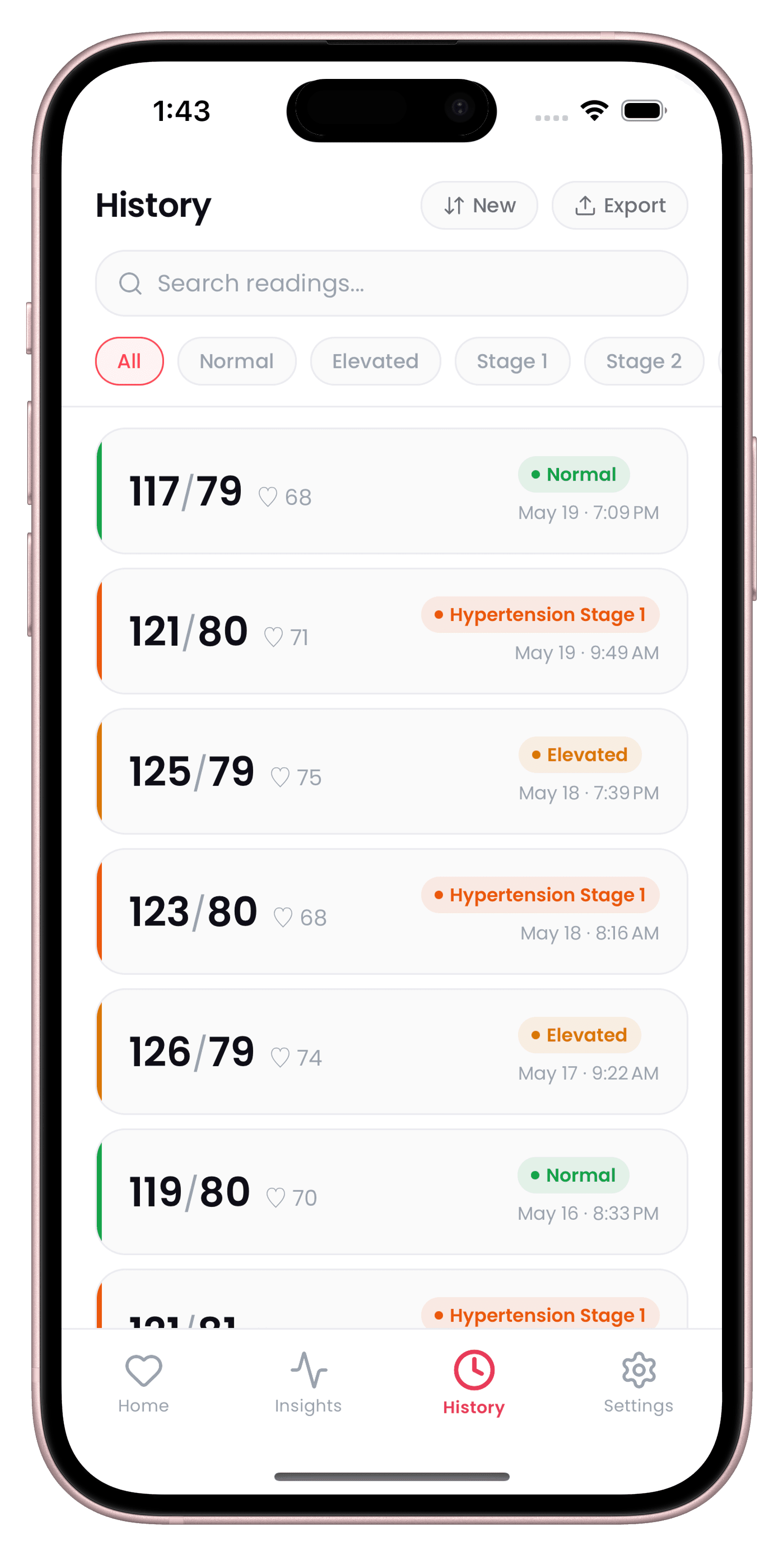
- Open History, tap Export, and choose a PDF report (readings, averages, mean arterial pressure, pulse pressure and stage) or a CSV file that opens in Excel or Numbers.
CardiLog is a free download, and full use, exports included, needs a subscription. It also writes the readings you log in CardiLog to Health, so the two stay in step.
Sharing with family instead of a file
If the goal is for a relative to keep an eye on your readings, Health Sharing may suit better than an export. In Health, tap Sharing, then Share with Someone, choose a contact (they need to be in your contacts), pick suggested topics or set it up manually, then tap Share. To stop, tap Sharing, tap their name and choose Stop Sharing.
Our page on tracking blood pressure for a parent covers other ways families handle this.
What to send your doctor
A doctor reviewing home blood pressure looks at averages over a set period, not at single readings or a raw data file. NICE and the 2024 ESC guideline both use a home average of 135/85 or higher as the threshold for hypertension, worked out from morning and evening readings over several days.
So whichever export you use, a summary with averages is more useful than a full dump. Our home blood pressure average calculator works out a week's average the NICE way, and the blood pressure log guide compares printable and digital logs.
Sources
- Apple iPhone User Guide: Share your health data
- Apple Support: Log your blood pressure in the Health app
- Apple iPhone User Guide: View your health data
- NICE guideline NG136: Hypertension in adults: diagnosis and management
- McEvoy JW et al. 2024 ESC Guidelines for the management of elevated blood pressure and hypertension. Eur Heart J 2024
This guide is general information, not medical advice. CardiLog is not a medical device. Talk to your doctor about your own readings.