
Doctor PDF & CSV Reports
Walk into your next appointment with more than a memory of your numbers. CardiLog turns your history into a report your doctor can actually use — in seconds, not the night before.

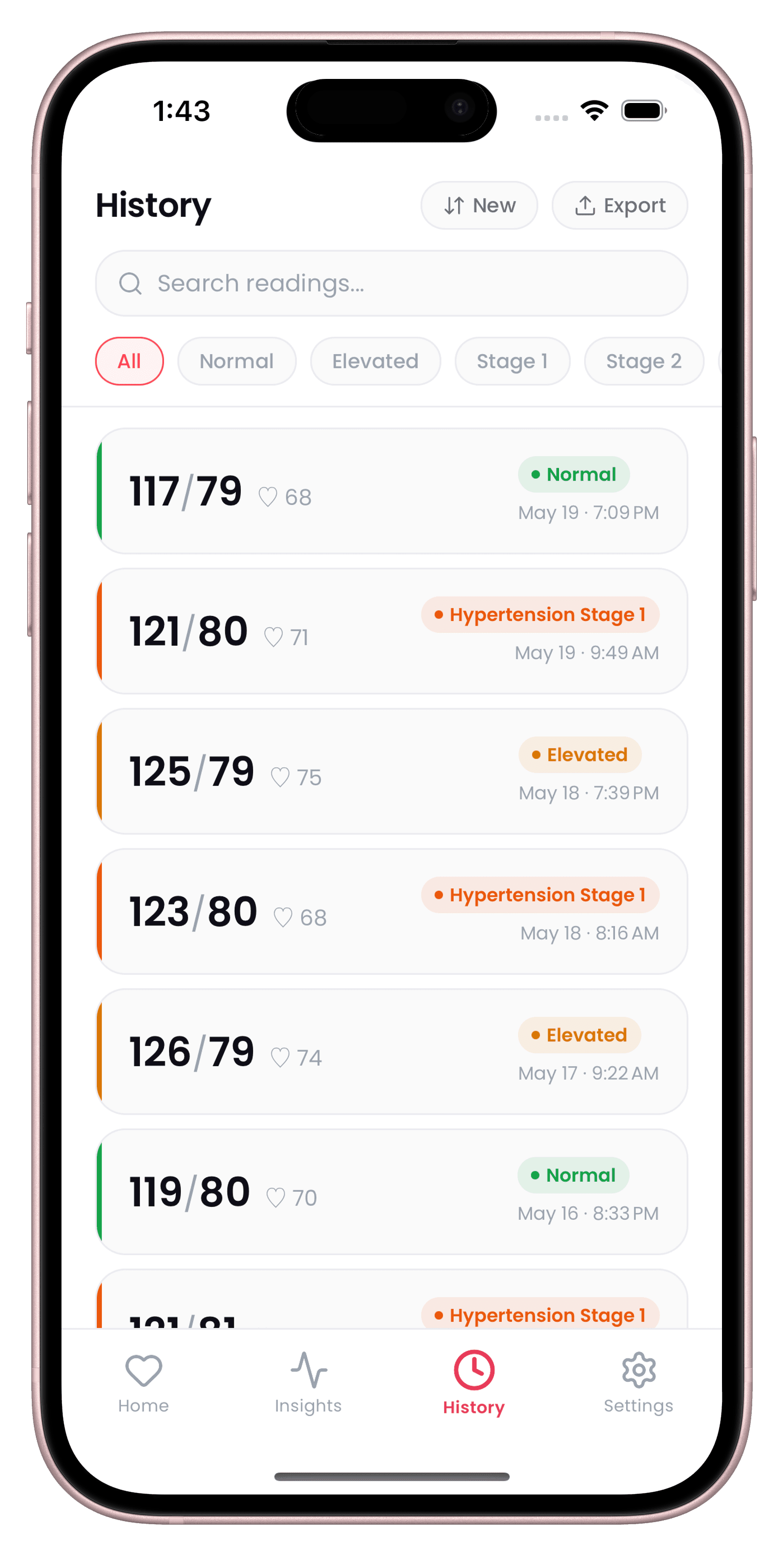
What Doctor Reports gives you
Clinical-style PDF report
Generates a formatted report with your full reading history, averages, trend analysis, MAP, and Pulse Pressure.
CSV export
Export your raw data as a CSV for a spreadsheet or your own research.
Share in seconds
Send either format directly by email, AirDrop, or Messages, right from your history screen.
How Doctor Reports works
- 1
Open your History
Go to the History tab to see your full log of past readings.
- 2
Tap Export
Choose to export a clinical-style PDF report or a raw CSV file.
- 3
Review the summary
The PDF includes your full history, averages, trend analysis, MAP, and Pulse Pressure.
- 4
Share it
Send the report by email, AirDrop, or Messages — ready before your next appointment.
Doctor PDF & CSV Reports — FAQ
Can I export or share my readings with my doctor?
Yes. CardiLog can generate a clinical-style PDF report or export your raw data as a CSV, shared directly by email, AirDrop, or Messages.
Is PDF export a Pro feature?
Basic export is available on the free plan; CardiLog Pro adds unlimited PDF export and one-tap doctor sharing.
Start tracking today.
Your doctor checks your BP twice a year. CardiLog watches it every day.
Free to start · No account required