
Short answer
If you own a Bluetooth cuff, start with the maker's free app (Omron Connect, Withings, or iHealth MyVitals) because it syncs readings for you. If your monitor has no Bluetooth, or you switch between brands, pick a logging app: CardiLog (subscription, photo scan of the display) or SmartBP (free with ads, optional premium). Apple Health is the free baseline that all apps on this list can feed.
How we picked
We only included apps that are on the US App Store today and that log systolic, diastolic, and pulse. For each competitor we read its current App Store listing and noted three things: how it's paid for, which monitors it can sync from, and how you get your data out for a doctor. If a listing didn't say something, we don't claim it.
We left out apps built mainly around ECG, like Kardia, because blood pressure isn't their focus. We also left out cuffless 'blood pressure' apps that estimate numbers from a phone camera or a watch. No app on this list measures blood pressure by itself. You still need a cuff, ideally a validated upper-arm monitor. Our guide on whether an iPhone or Apple Watch can measure blood pressure explains why.
One disclosure: we make CardiLog. We've ranked it first because it fits the most common situation we hear about (a monitor with no Bluetooth), but we've listed its downsides as plainly as everyone else's.
1. CardiLog
Best for: people whose monitor has no Bluetooth, or who use more than one cuff, and want trend checks plus a report for the doctor.
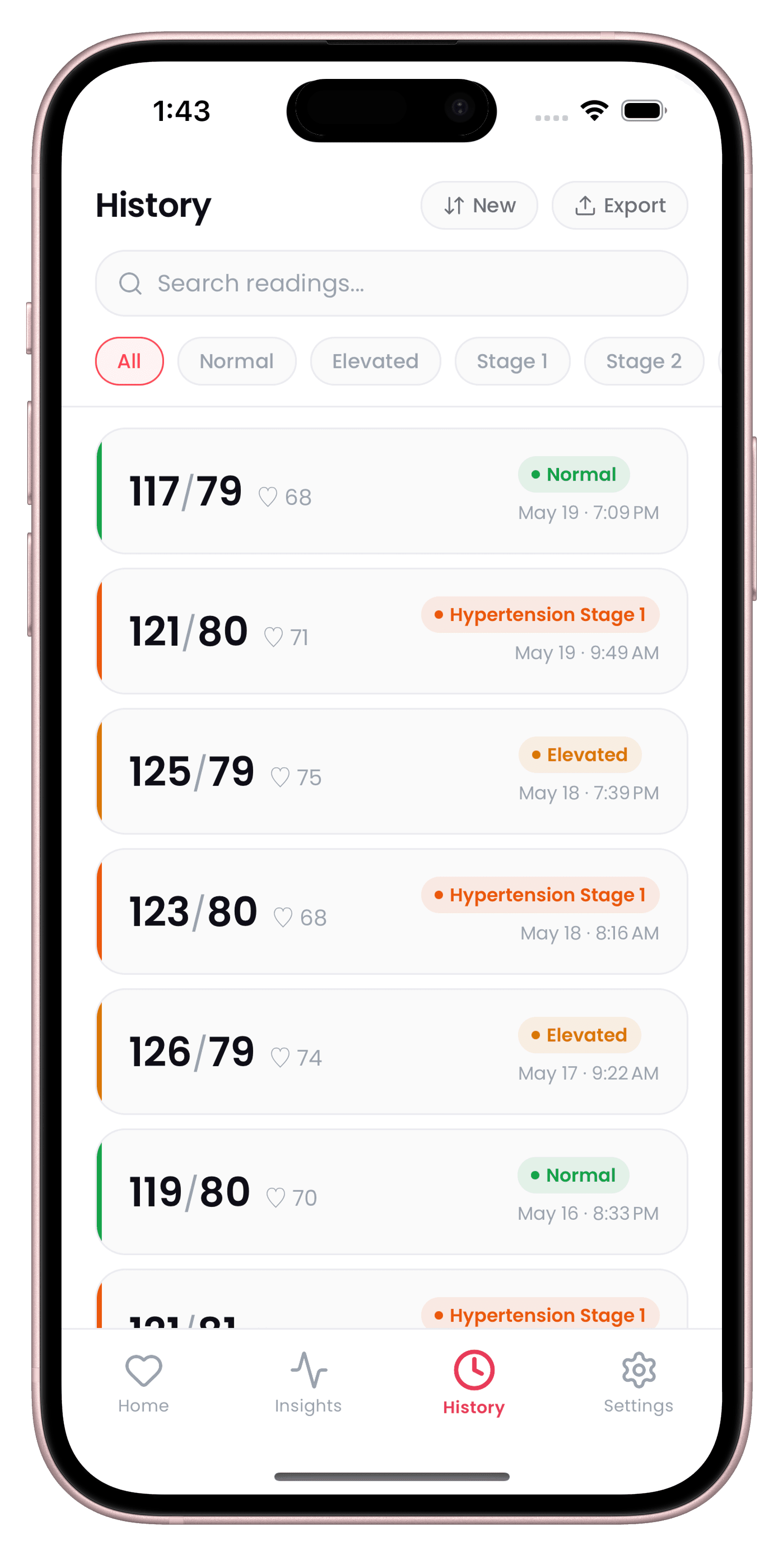
CardiLog doesn't connect to monitors. You type the numbers in, or point your camera at the monitor's display and on-device text recognition fills them in. It can also import readings that are already in Apple Health. Each reading can carry context tags (caffeine, poor sleep, medication taken, and five more) and a location tag (home, clinic, pharmacy, travel).
- Pro: works with any monitor through manual entry or a photo scan of the display.
- Pro: rule-based checks for a morning surge, a white coat effect, and a sustained rise over 14 days, plus 7, 30, and 90 day charts.
- Pro: PDF report with readings, averages, MAP, pulse pressure, and stage, plus CSV export and an encrypted backup file.
- Pro: no account. Readings are stored on your phone. The app UI is available in 32 languages.
- Con: free download, but full use needs a subscription (weekly with a 3-day trial, yearly, or lifetime). There's a hard paywall after onboarding.
- Con: no Bluetooth sync, no Apple Watch app, no widgets, and no iCloud sync.
More detail on the no-cuff-sync workflow is on our no-Bluetooth monitor page.
2. SmartBP
Best for: people who want a free, brand-neutral log with Bluetooth sync from several cuff makers.
SmartBP (Evolve Medical Systems) is a dedicated blood pressure log. Its listing says it syncs with Bluetooth monitors from A&D, Omron, Beurer, and Transtek, and its release notes add Microlife and iHealth support for some models. It reads and writes Apple Health and has an Apple Watch app.
- Pro: free to download, with an optional premium tier that removes ads.
- Pro: PDF summary and history reports you can email or print, plus CSV export and import.
- Pro: multiple user profiles (a separate in-app purchase) and an optional clinician dashboard for clinics that use it.
- Con: the free version shows ads.
- Con: Bluetooth support depends on the exact monitor model, so check yours before you rely on it.
3. Omron Connect
Best for: anyone who already owns a Bluetooth Omron monitor.
Omron Connect is Omron's own app. It syncs readings from compatible Omron blood pressure monitors over Bluetooth and exchanges readings with Apple Health. You can share readings with a doctor, caregiver, or family member.
- Pro: no typing. Readings arrive from the cuff on their own.
- Pro: free to download, and it also supports Omron scales, thermometers, and EKG devices.
- Con: only syncs from Omron devices.
- Con: detailed reports for your doctor and medication tracking are part of a paid premium subscription.
- Con: some reviewers mention having to re-pair the cuff and find the history view hard to use.
We compare it with CardiLog in more depth on our Omron Connect alternative page.
4. Withings
Best for: households already using Withings cuffs, scales, or watches.
The Withings app (formerly Health Mate) covers weight, sleep, activity, and blood pressure, and it supports Withings blood pressure monitors including the BPM Vision. It connects to Apple Health.
- Pro: free to download, with secure shareable reports and a live link you can send to your healthcare provider.
- Pro: the listing names more accessibility features than most apps here, including Larger Text and VoiceOver.
- Con: built around Withings hardware, so it's not a good fit for other cuffs.
- Con: several features sit behind the Withings+ subscription.
- Con: blood pressure is one part of a broad health app, not the main focus.
5. iHealth MyVitals
Best for: owners of an iHealth Bluetooth monitor.
iHealth MyVitals syncs from iHealth blood pressure monitors, scales, pulse oximeters, and thermometers. It can write your readings to Apple Health once you allow it.
- Pro: listed as free on the App Store.
- Pro: release notes say you can send data as CSV, XLS, or PDF by email or other apps, and there's a share function for your care team.
- Con: you need an iHealth account, and data is stored in iHealth's cloud.
- Con: designed for iHealth devices only. The listing doesn't describe support for more than one person.
6. Apple Health
Best for: people who want something free, built in, and simple, and don't need analysis.
The Health app on iPhone lets you add a blood pressure measurement by hand, and other apps and devices can write readings into it with your permission. If a supported Apple Watch sends a hypertension notification, Health offers a Blood Pressure Log that asks you to measure with a cuff twice a day for 7 days. Apple says that feature isn't meant for people already diagnosed with hypertension or anyone under 22.
- Pro: free, already installed, and the hub most BP apps (including all the apps above) can sync with.
- Pro: you can share chosen health data and alerts with family or friends from the Sharing tab, and export all your data as an XML file.
- Con: manual entry only for blood pressure, with no Bluetooth pairing to cuffs.
- Con: no doctor-style PDF report and no blood pressure pattern checks like morning surge.
Which one should you choose?
Start with your monitor, not the app.
- Bluetooth Omron, Withings, or iHealth cuff: use the maker's app. Auto-sync beats typing, and all three can pass readings to Apple Health.
- Monitor without Bluetooth, or several brands in the house: CardiLog if you want photo scan, trend checks, and a PDF and don't mind a subscription. SmartBP if you'd rather start free and can live with ads.
- You only need a record, nothing else: Apple Health.
- Preparing for an appointment: any app with a PDF or shareable report works. See how to make a blood pressure log your doctor can use.
Whatever you pick, the reading is only as good as the measurement. Our guide to accurate home readings covers cuff position, rest, and timing. None of these apps diagnose anything, so take your log to your doctor for decisions about treatment.
Sources
- App Store: OMRON connect US/CAN/EMEA
- App Store: Blood Pressure Tracker SmartBP
- App Store: Withings
- App Store: iHealth MyVitals
- Apple Support: Receive hypertension notifications on Apple Watch
- Apple Support: Share your data in Health on iPhone
This guide is general information, not medical advice. CardiLog is not a medical device. Talk to your doctor about your own readings.